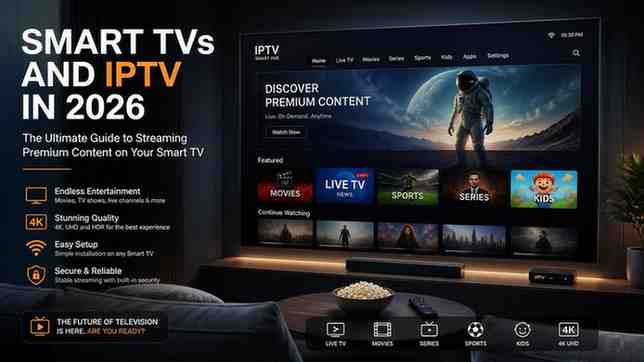
Smart TVs and IPTV in 2026: The Ultimate Guide to Streaming Premium Content on Your Smart TV
Published by PremiumUK | Last Updated: June 2026
Smart TVs have completely transformed the way households across the United Kingdom consume entertainment. Gone are the days when television meant flicking through a handful of broadcast channels on a chunky set-top box. Today, a modern Smart TV is a fully connected entertainment hub capable of streaming thousands of live channels, on-demand movies, and high-definition sports events — all without a satellite dish or cable subscription.
This comprehensive guide explores everything you need to know about Smart TVs in 2026: how they work, which operating systems power them, what features matter most, and — crucially — how pairing your Smart TV with a premium IPTV service like PremiumUK unlocks an entirely new tier of viewing quality and content variety.
Whether you own a Samsung, LG, Sony, or any Android TV-based screen, this guide will help you get the absolute maximum out of your investment.
Table of Contents
- What Is a Smart TV? Definition and Key Features
- Smart TV Operating Systems: Samsung Tizen, LG webOS, Android TV, and More
- Smart TV Resolution Guide: HD, Full HD, 4K UHD, and 8K
- What Is IPTV and Why Do Smart TV Owners Love It?
- How to Set Up IPTV on Your Smart TV
- Best IPTV Applications for Smart TVs in 2026
- Live Sports Streaming on Smart TVs: Sky Sports, TNT Sports, and PPV Events
- Smart TV Buying Guide 2026: What to Look For
- Internet Speed Requirements for Smart TV Streaming
- Smart TV Security and Privacy: What You Need to Know
- Frequently Asked Questions About Smart TVs and IPTV
- Conclusion: Upgrade Your Smart TV Experience with PremiumUK
1. What Is a Smart TV? Definition and Key Features
A Smart TV is a television set that integrates internet connectivity and an embedded operating system, enabling users to run apps, browse the web, stream video content, and connect to external devices — all directly from the TV itself without needing a separate streaming device.
The concept of the Smart TV first gained mainstream traction around 2010–2012, but the technology has evolved dramatically. Modern Smart TVs in 2026 offer features that rival desktop computers in terms of processing power, memory, and connectivity options.
Core Features of a Modern Smart TV
- Built-in Wi-Fi and Ethernet connectivity for high-speed internet access
- App stores for downloading streaming services, games, and utilities
- Voice assistant integration (Google Assistant, Amazon Alexa, Bixby)
- Screen mirroring and casting support from smartphones and tablets
- Multiple HDMI, USB, and optical audio ports
- Native support for 4K UHD and HDR content (HDR10, Dolby Vision, HLG)
- Automatic software updates to keep the OS and security patches current
- Smart home integration with platforms like Google Home and Amazon Echo
At the heart of every Smart TV is its operating system — the software layer that determines how easy the interface is to navigate, which apps are available, and how well the TV performs over time. Understanding the differences between these platforms is essential when choosing a new screen or deciding which IPTV apps will work best on your device.
2. Smart TV Operating Systems: Samsung Tizen, LG webOS, Android TV, and More
Not all Smart TVs are created equal, and the operating system running under the hood makes a significant difference to the user experience. Here is a detailed breakdown of the most popular Smart TV platforms available in the UK market in 2026.
Samsung Tizen OS
Samsung’s Tizen is one of the most widely deployed Smart TV operating systems in the world. It is known for its clean, responsive interface and deep integration with Samsung’s broader ecosystem, including Galaxy smartphones and home appliances. Tizen supports a rich selection of streaming apps and is fully compatible with leading IPTV players including IBO Player Pro and Hot Player.
One standout feature of Samsung Tizen TVs is the Smart Hub — a unified home screen that aggregates your recently watched content, recommended shows, live TV inputs, and apps into a single, easy-to-navigate panel. Samsung regularly updates Tizen with new features, and many models from 2019 onwards still receive active software support.
LG webOS
LG’s webOS platform is widely regarded as one of the most user-friendly Smart TV operating systems on the market. Its Magic Remote — a gyroscopic pointer device — allows users to navigate the interface as if using a mouse, dramatically reducing the friction of navigating complex menus. webOS supports a broad library of apps including all major streaming services and IPTV applications.
In 2022, LG opened webOS to third-party TV manufacturers, meaning you will now find webOS-powered screens from brands like Konka, Ayonz, and others. This has further expanded the ecosystem of webOS-compatible apps and accessories.
Google TV and Android TV
Android TV — and its successor, Google TV — powers devices from Sony, TCL, Hisense, Philips, and many other manufacturers. Because Android TV is based on the Android operating system, it benefits from the enormous Google Play Store ecosystem, giving users access to tens of thousands of apps. This openness is particularly useful for IPTV users, as nearly every major IPTV application is available on Android TV.
Google TV, introduced in 2020, adds a personalised content discovery layer on top of Android TV, aggregating recommendations from all your installed streaming services into a unified home screen. Both Google TV and standard Android TV devices are fully compatible with Smarters Player Lite, XCIPTV, IBO Player Pro, and similar IPTV clients.
Roku TV
Although Roku is more common in the United States, Roku-powered TVs are increasingly available in the UK through brands like TCL and Hisense. Roku’s platform is praised for its simplicity and excellent search functionality across streaming services. However, IPTV support on Roku is more limited compared to Android TV, as the Roku Channel Store does not carry as many third-party IPTV clients.
Fire TV Edition
Amazon’s Fire TV OS is available on a growing number of televisions, particularly from Grundig, Toshiba, and JVC in the UK. Fire TV Edition TVs integrate seamlessly with Amazon Prime Video and Alexa, and they also support sideloading of APK files, which means IPTV apps not available in the official Amazon Appstore can still be installed manually.
3. Smart TV Resolution Guide: HD, Full HD, 4K UHD, and 8K
Resolution is one of the most heavily marketed specifications in the Smart TV industry, but understanding what each resolution tier actually means for your viewing experience is essential before making a purchase decision.
HD Ready (720p)
HD Ready screens deliver a resolution of 1280 × 720 pixels. While significantly sharper than older standard-definition sets, HD Ready is now considered entry-level and is only found on smaller budget screens. For IPTV streaming, HD Ready is the minimum viable resolution, but most modern IPTV services — including PremiumUK — deliver content at much higher quality.
Full HD (1080p)
Full HD (1920 × 1080 pixels) remains the bread-and-butter resolution for mid-range Smart TVs in 2026. A significant portion of live IPTV channels are broadcast in Full HD at 50 or 60 frames per second, making Full HD screens an excellent choice for sports fans who prioritise smooth motion over pixel density.
4K Ultra HD (2160p)
4K UHD (3840 × 2160 pixels) is now the dominant resolution tier for Smart TVs 40 inches and above. With four times the pixel density of Full HD, 4K screens deliver extraordinary sharpness, particularly on large panels viewed at close range. PremiumUK’s infrastructure is built natively around 4K UHD delivery, with HEVC/H.265 encoding ensuring that 4K streams consume only around 25 Mbps of bandwidth — accessible to the vast majority of UK broadband connections.
8K
8K TVs (7680 × 4320 pixels) represent the current frontier of consumer display technology. While native 8K content remains scarce in 2026, many 8K sets include powerful AI upscaling engines that enhance lower-resolution content. For IPTV users, an 8K TV’s upscaling capabilities can make Full HD and 4K streams look even more detailed on ultra-large screens.
HDR: The Quality Factor That Matters as Much as Resolution
High Dynamic Range (HDR) is arguably as important as resolution for perceived image quality. HDR expands the range of brightness and colour that a screen can display, resulting in more lifelike images with deeper blacks and more vibrant highlights. The main HDR formats you will encounter are HDR10, HDR10+, Dolby Vision, and HLG — with Dolby Vision generally considered the premium standard. When choosing a Smart TV for IPTV, look for a panel that supports at least HDR10 for the best possible picture from high-quality streams.
4. What Is IPTV and Why Do Smart TV Owners Love It?
IPTV stands for Internet Protocol Television — a method of delivering television content over the internet rather than through traditional broadcast infrastructure like satellite or cable. Instead of receiving a signal from a dish or aerial, your Smart TV connects to a dedicated server via your broadband connection and streams channels directly to your screen in real time.
For Smart TV owners, IPTV is a revelation. Here is why millions of viewers across the UK have made the switch:
Unmatched Content Volume
A traditional Sky or Virgin Media subscription gives you access to a few hundred channels. A premium IPTV subscription like PremiumUK delivers access to over 50,000 live channels spanning every genre, language, and region — from UK terrestrial channels to international sports networks, news feeds, entertainment packages, and premium movie channels.
On-Demand Library
Beyond live TV, IPTV services include vast Video on Demand (VOD) libraries. PremiumUK’s VOD catalogue includes over 200,000 movies and series, all encoded in native 4K UHD quality. This means you can watch the latest cinema releases, classic films, and entire box sets on demand — without waiting for a broadcast schedule.
Sports Coverage
For sports fans, IPTV is transformative. Premium IPTV subscriptions include channels like Sky Sports Main Event, Sky Sports Premier League, Sky Sports F1, TNT Sports, iFollow, and international sports networks covering football, rugby, cricket, tennis, MMA, and more. Pay-Per-View boxing events and other PPV content are also typically included in premium IPTV packages.
Cost Efficiency
A full Sky Sports and Sky Cinema package in the UK can cost £70 or more per month. PremiumUK’s premium IPTV subscription starts from just £9.98 per month — delivering more channels, more on-demand content, and superior stream quality at a fraction of the cost.
Device Flexibility
Unlike traditional pay-TV which requires proprietary hardware, IPTV works on virtually any internet-connected device. Your Smart TV, smartphone, tablet, laptop, and streaming stick can all access the same subscription — giving you genuine flexibility over where and how you watch.
5. How to Set Up IPTV on Your Smart TV
Setting up IPTV on a Smart TV is a straightforward process that typically takes less than five minutes. The exact steps vary slightly depending on your TV’s operating system, but the general workflow is the same across all platforms.
Step 1: Obtain Your IPTV Credentials
When you subscribe to a service like PremiumUK, you receive an activation email containing your unique account credentials. These typically include an Xtream Codes API username and password, or an M3U playlist URL. These credentials are what you enter into your IPTV player app to access the channel lineup.
Step 2: Install an IPTV Player App
Navigate to your Smart TV’s app store and search for a compatible IPTV player. On Samsung Tizen and LG webOS TVs, apps like IBO Player Pro, Hot Player, and Smarters Player Lite are widely available. On Android TV and Google TV devices, the Google Play Store offers an even wider selection of IPTV clients.
Step 3: Enter Your Credentials
Open your chosen IPTV player and navigate to the ‘Add New Playlist’ or ‘Add Provider’ option. Select ‘Xtream Codes API’ if you have a username and password, or ‘M3U URL’ if you have a playlist link. Enter the server URL, username, and password exactly as provided in your activation email.
Step 4: Load and Organise Your Channels
Once your credentials are accepted, the app will automatically load your full channel lineup, EPG (Electronic Programme Guide), and VOD library. This initial loading process may take 30–60 seconds depending on your internet speed and the size of the channel list.
Step 5: Enjoy Your Content
Browse your channels using the EPG, search for specific content in the VOD library, or set up favourites for the channels you watch most frequently. Many IPTV players also support recording and time-shifting functionality, depending on the app.
Need help with installation? Visit our detailed Installation Guide for step-by-step instructions for every device.
6. Best IPTV Applications for Smart TVs in 2026
The IPTV player you choose will significantly influence your overall viewing experience. Here is a detailed overview of the top IPTV applications compatible with Smart TVs in 2026.
IBO Player Pro
IBO Player Pro is one of the most popular IPTV clients for Samsung and LG Smart TVs. Its interface is clean, intuitive, and fast — with hardware-accelerated video decoding that ensures smooth playback even on 4K UHD streams. IBO Player Pro supports Xtream Codes API, M3U playlists, and built-in EPG with catch-up functionality on supported providers. The channel zapping speed is exceptional, making it ideal for sports viewers who frequently switch between live events.
Smarters Player Lite
Smarters Player Lite is available across Samsung Tizen, LG webOS, Android TV, iOS, and Android — making it the most cross-platform compatible IPTV client on the market. Its feature set is comprehensive, including multi-screen support, parental controls, EPG integration, and a polished video player based on the VLC engine. For viewers who watch IPTV across multiple devices, Smarters Player Lite’s consistent interface across platforms is a significant advantage.
XCIPTV Player
XCIPTV is particularly popular among Android TV users. It supports up to 4K Ultra HD playback with Dolby Digital audio pass-through, and its series and movie browsing interface is more visually appealing than many competing apps. XCIPTV also features a built-in download manager for supported VOD content, allowing offline viewing when connectivity is limited.
Hot Player
Hot Player is a lightweight IPTV client available on Samsung Tizen TVs. While its interface is simpler than IBO Player Pro, it loads channels very quickly and performs well on older Samsung Smart TVs with limited processing power. For viewers primarily interested in live TV rather than VOD content, Hot Player is a reliable and responsive choice.
TiviMate (Android TV Only)
TiviMate is widely considered the premium IPTV player for Android TV and Google TV devices. Its interface closely resembles a traditional TV guide, with a familiar grid-style EPG that is easy to navigate. TiviMate supports multiple playlists, recording to external storage, catch-up TV, and extensive customisation options. A one-time premium licence unlocks the full feature set including unlimited playlist support and panel management.
7. Live Sports Streaming on Smart TVs: Sky Sports, TNT Sports, and PPV Events
Sport is the single biggest driver of Smart TV and IPTV adoption in the UK. The ability to watch live Premier League football, Champions League nights, Formula One races, boxing PPV events, and international cricket on a large 4K screen — without a £70-per-month satellite subscription — is a genuinely compelling proposition.
Football on Smart TVs via IPTV
The Premier League is the most-watched football league in the world, and its rights are split across Sky Sports and TNT Sports in the UK. A premium IPTV subscription gives you access to both Sky Sports and TNT Sports channels, meaning you can watch every Premier League, Championship, FA Cup, Carabao Cup, Champions League, and Europa League match live and in stunning 4K.
Formula One on Smart TVs
Sky Sports F1 broadcasts every Formula One race weekend live and in full, including practice sessions, qualifying, and the race itself. With a premium IPTV subscription, you can enjoy the complete Sky Sports F1 coverage on your Smart TV without a Sky satellite installation.
Boxing and PPV Events
Pay-Per-View boxing events — including major world title fights on Sky Sports Box Office, DAZN, and BT Sport Box Office — are typically included in premium IPTV subscriptions. This represents enormous savings for boxing fans who would otherwise pay £20–£30 per event on top of their existing subscription.
Cricket, Rugby, Tennis, and Golf
Sky Sports also holds broadcasting rights for England Test cricket, the Ashes, Ryder Cup golf, and Six Nations rugby. TNT Sports carries Champions League, Europa League, and top-flight rugby. A single premium IPTV subscription covers all of these sports simultaneously, making it the most cost-effective way to follow multiple sports throughout the year.
60 FPS Sports Streaming: Why It Matters
One of PremiumUK’s key technical differentiators is its 60 frames-per-second delivery on live sports channels. Standard broadcast television in the UK operates at 50 frames per second (50Hz), but many major sporting events — particularly Premier League football and Formula One — benefit enormously from the smoother motion delivered at 60 FPS. Fast-moving action, camera pans, and close-up replays all look significantly better at 60 FPS, and PremiumUK’s NVMe-powered server infrastructure is built to deliver this performance consistently without buffering or frame drops.
8. Smart TV Buying Guide 2026: What to Look For
The UK Smart TV market in 2026 is more competitive than ever, with dozens of manufacturers offering screens across every price point. If you are in the market for a new Smart TV and plan to use it with an IPTV service, here are the key specifications to prioritise.
Panel Technology: OLED vs QLED vs LED
OLED panels (used by LG and Sony’s high-end ranges) deliver perfect blacks and infinite contrast ratios by switching individual pixels on and off. For film and drama content, OLED is widely considered the gold standard. QLED panels (Samsung’s quantum dot LED technology) offer higher peak brightness, making them better suited to bright living rooms. Standard LED/LCD panels are the most affordable option and still deliver excellent picture quality in premium mid-range models from TCL, Hisense, and Philips.
Screen Size and Viewing Distance
As a general rule, a 4K Ultra HD screen should be viewed at a distance of approximately 1.5 times the screen’s diagonal measurement. So a 65-inch 4K TV is ideally viewed from around 8 feet away. For IPTV sports viewing — where you want to feel immersed in the action — a larger screen in the 55–75 inch range is highly recommended.
Processor Performance
The processor inside a Smart TV determines how quickly apps load, how smooth the interface feels, and how well the TV handles demanding tasks like 4K video decoding and AI upscaling. Budget TVs often use low-power processors that can struggle with demanding IPTV apps, particularly when loading large channel lists. Look for TVs with dedicated media processing chips — Samsung’s Tizen-based models use the Tizen Processor, while Sony’s Android TV models typically include the MediaTek or Sony X1 chip.
Connectivity: HDMI 2.1, USB, and Ethernet
For serious IPTV users, a wired Ethernet connection is always preferable to Wi-Fi for stability and consistency. Ensure your chosen TV has at least one Ethernet port. HDMI 2.1 ports are important if you also use your TV for gaming, as they support 4K at 120Hz and Variable Refresh Rate technology. Multiple USB ports are useful for connecting external storage devices for IPTV recording functionality.
Audio Specifications
Built-in TV speakers have improved significantly in recent years, but they still cannot match a dedicated soundbar or home cinema setup. Look for TVs that support Dolby Atmos pass-through via HDMI ARC or eARC, allowing you to route audio to an external sound system. Many premium IPTV providers — including PremiumUK — deliver audio in Dolby Digital format, so your sound system will benefit from the full immersive audio experience.
9. Internet Speed Requirements for Smart TV Streaming
Your broadband connection is the foundation of your Smart TV IPTV experience. Understanding the bandwidth requirements for different quality tiers will help you ensure your internet package is adequate for your viewing habits.
Minimum Requirements by Quality Tier
- SD (Standard Definition, 480p): 5 Mbps minimum
- HD (720p): 8 Mbps minimum
- Full HD (1080p): 15 Mbps minimum
- 4K UHD (2160p): 25 Mbps minimum with HEVC/H.265 encoding
- 4K at 60 FPS: 30–35 Mbps recommended for optimal performance
PremiumUK’s infrastructure uses advanced HEVC/H.265 video compression across all streams, which is approximately 50% more efficient than older H.264 encoding. This means a PremiumUK 4K stream consumes significantly less bandwidth than a 4K stream from a less optimised provider — enabling high-quality viewing even on more modest broadband connections.
Wired vs Wireless: Which Is Better for IPTV?
While modern Wi-Fi 6 and Wi-Fi 6E routers deliver impressive wireless performance, a wired Ethernet connection will always provide more consistent stability for live IPTV streaming. Wi-Fi signals can be affected by interference from neighbouring networks, physical obstructions, and device congestion — all of which can cause brief buffering interruptions during critical moments like penalty shootouts or race finishes. If your Smart TV is in a fixed location, running an Ethernet cable from your router is strongly recommended.
ISP Throttling and How to Bypass It
Some UK Internet Service Providers throttle or restrict streaming traffic during peak hours. PremiumUK’s server infrastructure features built-in anti-freeze routing technology specifically designed to bypass ISP throttling across the UK. This means that even during peak evening hours, PremiumUK subscribers consistently experience smooth, buffer-free streams. For additional protection, PremiumUK is also fully compatible with leading VPN providers including ExpressVPN and NordVPN.
10. Smart TV Security and Privacy: What You Need to Know
As Smart TVs become more sophisticated and internet-connected, security and privacy have emerged as legitimate concerns for consumers. Here is what every Smart TV owner should understand.
Automatic Content Recognition (ACR)
Many Smart TVs use Automatic Content Recognition technology — a form of smart viewing analytics that monitors what is displayed on screen and reports this data to the manufacturer and third-party advertisers. Most Smart TV manufacturers enable ACR by default. Users who value privacy should navigate to their TV’s privacy settings and disable ACR / viewing data collection.
App Permissions
When installing apps on your Smart TV, it is worth reviewing the permissions each app requests. Some apps request access to your microphone, camera (if your TV has one), or network discovery features that are not strictly necessary for their core function. Grant only the permissions that are genuinely required.
Firmware Updates
Keeping your Smart TV’s firmware up to date is the single most effective way to maintain security. Manufacturers regularly release updates that patch known vulnerabilities. Most modern Smart TVs can be set to update automatically — ensure this feature is enabled in your TV’s settings menu.
VPN Usage with IPTV
Using a VPN in conjunction with your IPTV subscription adds an additional layer of privacy by encrypting your streaming traffic and masking your IP address from your ISP. PremiumUK’s server infrastructure is fully compatible with all major VPN providers, and using a VPN does not negatively impact stream quality when using a premium VPN service with sufficient bandwidth capacity.
11. Frequently Asked Questions About Smart TVs and IPTV
Can I use IPTV on any Smart TV?
Yes — IPTV is compatible with virtually all modern Smart TVs, including Samsung (Tizen), LG (webOS), Sony and TCL (Android TV/Google TV), and Fire TV Edition models. The specific IPTV player apps available will vary depending on your TV’s operating system, but PremiumUK provides support for all major platforms and can guide you to the best app for your specific device.
Do I need a separate streaming device if I already have a Smart TV?
Not necessarily. Modern Smart TVs are fully capable of running IPTV player apps natively without any additional hardware. However, some users choose to add an Amazon Fire TV Stick or a dedicated Android TV box if their Smart TV’s processor is older and struggles with demanding 4K IPTV streams. This is purely an optional performance upgrade.
How many devices can I use with one IPTV subscription?
This depends on the subscription plan you choose. PremiumUK offers single-device plans starting at £9.98 per month, as well as 2, 3, and 4-device plans for households that want to watch on multiple screens simultaneously. For larger households or businesses, custom multi-screen packages are available on request.
Is IPTV legal in the UK?
IPTV technology itself is legal. However, accessing premium broadcast content without proper licensing arrangements may infringe copyright law. It is your responsibility as a consumer to ensure that the IPTV service you use operates within applicable legal frameworks. PremiumUK operates as an offshore digital access platform and recommends that customers review the Terms of Service before subscribing.
What happens if my IPTV stream freezes or buffers?
PremiumUK’s anti-freeze routing technology is specifically engineered to prevent buffering and freezing under normal network conditions. If you do experience occasional freezing, the most common causes are temporary ISP throttling (resolved by using a VPN), insufficient Wi-Fi signal strength (resolved by using wired Ethernet), or a local network congestion issue (resolved by restarting your router). PremiumUK’s 24/7 WhatsApp support team can assist with troubleshooting any technical issues.
Can I watch IPTV on my Smart TV while travelling abroad?
Yes — your IPTV subscription is linked to your account credentials, not your physical location. You can access your full channel lineup from any device with an internet connection worldwide. If local content restrictions apply in the country you are visiting, connecting to a VPN with a UK exit node will resolve access issues.
How do I get a free trial of PremiumUK?
PremiumUK offers a premium 24-hour free trial to all prospective subscribers. Simply contact the support team via WhatsApp to request your trial credentials. This allows you to test the full channel lineup, 4K UHD stream quality, and zapping speed before committing to a paid plan — with absolutely zero obligation.
12. Conclusion: Upgrade Your Smart TV Experience with PremiumUK
The Smart TV revolution has made it easier than ever to enjoy world-class entertainment from the comfort of your home. But the true potential of a modern Smart TV is only realised when it is paired with a premium IPTV service that matches its technical capabilities.
PremiumUK is designed from the ground up to deliver the best possible IPTV experience on Smart TVs across the UK. From its NVMe-powered server infrastructure and anti-freeze routing technology to its native 4K UHD delivery and 60 FPS live sports channels, every aspect of the service is engineered to make the most of your screen’s capabilities.
With over 50,000 live channels, 200,000+ on-demand movies and series, comprehensive sports coverage, and 24/7 WhatsApp support — all starting from just £9.98 per month — PremiumUK represents the most compelling IPTV offering available in the UK market in 2026.
Whether you are a football fan, a film enthusiast, a sports fanatic, or simply a household looking to replace an expensive satellite subscription with something better and more flexible, PremiumUK has a plan to suit your needs.
→ Visit PremiumUK and Claim Your Free Trial Today
© 2026 PremiumUK — Premium 4K UK IPTV Service | premiumuk.store
Leave a Reply