Complete Guide 2024
Xtream Code: The Ultimate IPTV Streaming Guide
Published by PremiumUK Store | 15 min read | Updated 2024
📋 Table of Contents
- What Is Xtream Code?
- How Xtream Code Works
- Key Benefits of Xtream Code IPTV
- How to Use Xtream Code Step by Step
- Best Apps Compatible with Xtream Code
- How to Choose the Best Xtream Code Provider
- Xtream Code vs Other IPTV Methods
- Common Problems & Troubleshooting
- Frequently Asked Questions
- Conclusion
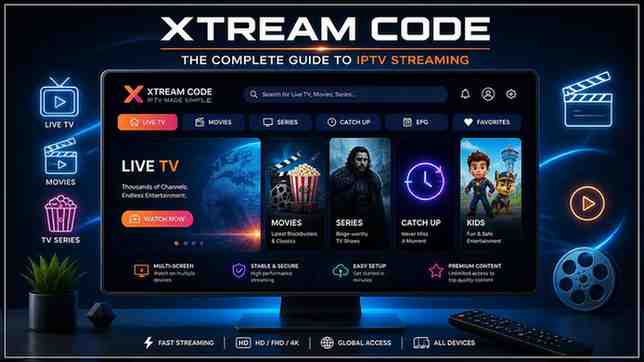
If you’ve been searching for a seamless, high-quality way to access live TV, sports, movies, and on-demand content without expensive cable subscriptions, then Xtream Code is the solution you need to know about. Over the past few years, Xtream Code has become the industry-standard protocol for IPTV streaming, powering millions of active subscriptions worldwide and transforming the way people consume media.
In this comprehensive guide, we’ll cover everything you need to know — from what Xtream Code actually is, how it works under the hood, which apps support it, how to pick the right provider, and how to troubleshoot common issues. Whether you’re a complete beginner or a seasoned IPTV user looking to upgrade your setup, this article has you covered.
01 — Introduction What Is Xtream Code?
Xtream Code (sometimes written as Xtream Codes or XC) is a powerful IPTV panel and API protocol that allows IPTV service providers to manage, distribute, and deliver live TV channels, video-on-demand (VOD) content, and series to subscribers. Developed initially as a server management panel for IPTV operators, Xtream Code evolved into the de facto standard that almost every IPTV app, player, and service recognises today.
At its core, an Xtream Code subscription gives you three things: a server URL, a username, and a password. With just these three credentials, you can access thousands of live channels, movies, and TV series from any compatible device — smart TV, smartphone, tablet, PC, or streaming stick.
📡
Live TV
Access thousands of live channels — sports, news, entertainment, kids, and more.
🎬
Movies (VOD)
Huge on-demand libraries with the latest films in HD and 4K quality.
📺
TV Series
Full seasons of your favourite series organised in an easy-to-browse format.
🔑
Simple Login
Just a URL, username, and password — that’s all you need to start streaming.
The term “Xtream Code” has become so widely adopted that it’s now used interchangeably with the idea of an IPTV login. When someone says “send me your Xtream Code,” they mean your server URL, username, and password. It’s the universal language of IPTV. Providers like PremiumUK Store use Xtream Code infrastructure to deliver rock-solid, high-performance streaming to thousands of happy customers.
02 — Technical Overview How Xtream Code Works
Understanding how Xtream Code works behind the scenes helps you get the most out of your subscription and troubleshoot issues quickly. The system is built around a client-server architecture that is both elegant and highly scalable.
The Xtream Code API
When you enter your credentials into an IPTV player, the app sends an HTTP request to your provider’s server using the Xtream Code API. This API returns a JSON or XML response containing all your channel lists, VOD content, and series — along with individual stream URLs. The player then uses these URLs to fetch the actual video stream, which is typically delivered in HLS (HTTP Live Streaming), MPEG-TS, or MP4 format.
💡 Pro Tip: The typical Xtream Code API endpoint looks like this:
http://yourserver.com:PORT/player_api.php?username=YOURUSER&password=YOURPASS
This is what your IPTV app calls in the background to fetch your full channel list and content library.
Server Infrastructure
Quality Xtream Code providers invest heavily in server infrastructure. The best providers — like PremiumUK Store — use load-balanced servers distributed across multiple data centres to ensure minimal buffering, high uptime (99.9%+), and consistent quality even during peak viewing hours (major sports events, for example).
The server-side of Xtream Code handles user authentication, connection limits, content management, and stream routing. Every time you press play, the server verifies your credentials, checks your connection allowance, and streams the content directly to your device.
Connections and Simultaneous Streams
One important concept in Xtream Code is connections. A “1 connection” plan means you can stream on one device at a time. A “2 connections” plan lets two devices stream simultaneously — perfect for families or households with multiple TVs. Always check how many connections your plan includes before purchasing.
03 — Why Use It Key Benefits of Xtream Code IPTV
There are compelling reasons why Xtream Code has become the preferred choice for millions of cord-cutters around the world. Here’s a breakdown of the major advantages:
1. Universal Compatibility
Perhaps the biggest advantage of the Xtream Code protocol is its universal compatibility. Virtually every major IPTV player and app supports Xtream Code login — from IPTV Smarters Pro to TiviMate, GSE Smart IPTV, Kodi, and many more. This means you can use the same credentials across different apps and devices without any technical complexity.
2. Cost Efficiency
Compared to cable or satellite subscriptions that often cost £60–£120 per month (and lock you into lengthy contracts), a quality Xtream Code IPTV subscription from a provider like PremiumUK Store typically costs a fraction of that price. You get access to thousands more channels, including international content that cable providers don’t even offer.
3. Content Variety
A premium Xtream Code service delivers an extraordinary breadth of content: UK, US, and international live channels; EPL, La Liga, Champions League, NFL, NBA, and every major sports league; thousands of movies and TV series in HD and 4K; kids’ channels, news, lifestyle, music, and more. It’s everything cable offers, and far more besides.
4. Device Flexibility
Your Xtream Code credentials work on virtually any screen. Set it up on your Android TV box today, your iPhone tomorrow, and your laptop the day after — all with the same login. Premium providers support Amazon Firestick, Android, iOS, Smart TVs (Samsung, LG), Mag boxes, Apple TV, and even web browsers through dedicated portals.
5. HD and 4K Quality
Top-tier Xtream Code providers offer streams in Full HD (1080p) and even 4K Ultra HD. The quality is determined by both the server’s stream encoding and your internet connection speed. For Full HD, a stable connection of 25 Mbps is typically sufficient; 4K streams generally require 50 Mbps or more.
“Switching to an Xtream Code IPTV subscription saved me over £80 per month compared to Sky, and I’m getting far more channels — including every Premier League match live in HD.” — Verified PremiumUK Customer
04 — Setup Guide How to Use Xtream Code Step by Step
Setting up your Xtream Code IPTV subscription is simpler than most people expect. Follow this step-by-step guide to get streaming in under 10 minutes.
1
Get Your Xtream Code Credentials
Purchase a subscription from a reputable provider like PremiumUK Store. After payment, you’ll receive your Server URL, Username, and Password via email — usually within minutes.
2
Download a Compatible IPTV App
Install an Xtream Code-compatible player on your device. The most popular options are IPTV Smarters Pro (Android/iOS/TV), TiviMate (Android TV), and GSE Smart IPTV (iOS/Android). All are available on the Google Play Store, App Store, or Amazon Appstore.
3
Open the App and Select “Xtream Code API”
Launch your chosen app. Look for an “Add Playlist” or “Add Account” option. When prompted for the connection type, choose “Xtream Code API” or “Xtream Codes Login”.
4
Enter Your Credentials
Type in your Server URL (e.g., http://server.example.com:8080), Username, and Password exactly as provided. Double-check for any typos — these are case-sensitive.
5
Load and Enjoy
Hit “Add” or “Connect.” The app will fetch your channel list from the server. Depending on the size of your package, this may take 30–90 seconds. Once loaded, browse your live channels, VOD library, and series — and start streaming!
Ready to Get Started?
Get your premium Xtream Code subscription from PremiumUK Store — instant delivery, thousands of channels, HD quality.🚀 Get Your Xtream Code Now
05 — Compatible Apps Best Apps Compatible with Xtream Code
One of the great strengths of the Xtream Code protocol is how many apps support it. Here’s a detailed look at the top players, along with their strengths and best use cases.
TiviMate IPTV Player
Widely considered the best IPTV app for Android TV, TiviMate offers a stunning, cable-TV-like interface with an excellent Electronic Programme Guide (EPG), catch-up TV, recording features, and superb performance. If you have an Android TV box, Nvidia Shield, or Fire TV Stick 4K, TiviMate with an Xtream Code subscription is the gold standard setup. It supports multiple playlists, so you can have several Xtream Code accounts in one app.
IPTV Smarters Pro
IPTV Smarters Pro is the most cross-platform Xtream Code app available, with versions for Android, iOS, Android TV, and Samsung/LG Smart TVs. It features a clean interface, parental controls, multi-screen support, and built-in EPG. It’s the most recommended app for beginners due to its simplicity. You can learn more about compatible apps on resources like FireStick Tricks.
GSE Smart IPTV
GSE Smart IPTV is particularly popular among iOS users and Mac users. It supports Xtream Code login natively and also accepts M3U playlists. The app includes a powerful built-in media player, EPG support, and an elegant interface that feels at home on Apple devices.
Kodi with IPTV Simple PVR
Kodi is an open-source media centre that supports IPTV via the IPTV Simple PVR add-on. While the setup is slightly more technical (you’ll need to get an M3U URL from your Xtream Code credentials), Kodi offers unmatched customisation and is great for power users who want full control over their media experience.
Perfect Player
Perfect Player is a solid choice for Android smartphones and tablets. It’s lightweight, fast, and offers a clean grid-style interface. It supports Xtream Code login directly and handles large channel lists without performance issues.
| App | Platforms | Xtream Code | EPG | Best For |
|---|---|---|---|---|
| TiviMate | Android TV, Fire TV | ✓ | ✓ | TV boxes, shields |
| IPTV Smarters Pro | Android, iOS, Smart TV | ✓ | ✓ | Beginners, all devices |
| GSE Smart IPTV | iOS, macOS, Android | ✓ | ✓ | Apple device users |
| Kodi + PVR | Windows, Mac, Android, iOS | ✓ (via M3U) | ✓ | Power users |
| Perfect Player | Android | ✓ | ✓ | Phones, tablets |
| Stremio | Windows, Mac, Android, iOS | ✗ (add-ons) | ✓ | VOD enthusiasts |
06 — Provider Guide How to Choose the Best Xtream Code Provider
The quality of your IPTV experience depends heavily on the provider you choose. With hundreds of services available online, it can be difficult to separate the reliable from the unreliable. Here’s what to look for:
Server Uptime and Reliability
The number one priority should be server reliability. A provider with poor infrastructure will give you constant buffering, channel dropouts, and frustrating outages — especially during live sports. Look for providers that guarantee 99.9% uptime or higher. PremiumUK Store invests in premium server infrastructure precisely for this reason, ensuring a smooth experience even when thousands of customers are streaming simultaneously.
Channel Count and Quality
A large channel count is meaningless if those channels buffer or go offline frequently. A quality provider will offer a curated selection of channels with stable, high-quality streams rather than an enormous list filled with dead links. Look for providers offering at minimum 10,000+ live channels with full HD quality for the majority of them.
Sports Coverage
For sports fans, this is critical. The best providers offer dedicated sports channels including Sky Sports, BT Sport, beIN Sports, ESPN, DAZN, and coverage of international leagues. Look for dedicated sports servers with extra bandwidth allocation to handle the high concurrent viewership during live events. You can check out reviews and comparisons on third-party sites like Reddit’s IPTV community to gauge real user experiences.
Customer Support
Things go wrong — apps update and lose settings, credentials expire, servers go down for maintenance. A quality Xtream Code provider offers fast, responsive customer support through live chat, email, or ticketing. Avoid providers with no visible support channel.
Free Trial
Any reputable provider should offer a free trial period — typically 24 to 48 hours — so you can test the service before committing. This is a strong sign of confidence in their product quality. If a provider refuses to offer any trial, consider that a red flag.
Payment Security
Only use providers that offer secure payment options such as PayPal, credit/debit cards via Stripe, or other recognised payment processors. Avoid anyone asking for cryptocurrency-only payments with no other options, as this often indicates a less legitimate operation.
Why Choose PremiumUK Store?
✅ 10,000+ HD Channels ✅ 99.9% Uptime ✅ Free Trial Available ✅ 24/7 Support ✅ Instant Activation🎯 Visit PremiumUK Store
07 — Comparison Xtream Code vs Other IPTV Methods
Xtream Code isn’t the only way to deliver IPTV — but it’s widely considered the best. Here’s how it compares to the two main alternatives: M3U playlists and Stalker/Mag portals.
Xtream Code vs M3U Playlist
M3U playlists are text files containing a list of stream URLs. They’re simpler and more broadly compatible with basic media players like VLC. However, they lack dynamic features — there’s no real-time authentication, connection management, or user account system. Every stream URL is plain text, making them easier to share illegally and harder for providers to manage.
Xtream Code, by contrast, uses an API with proper authentication. This allows providers to manage connections, enforce subscription limits, deliver EPG data dynamically, and offer a vastly superior user experience. Most quality IPTV apps also generate an M3U URL from your Xtream Code credentials automatically when needed, so you get the best of both worlds.
Xtream Code vs Stalker/Mag Portal
Stalker portals (used by Mag boxes and similar hardware) are an older technology that locks you to specific hardware. They’re tied to a device’s MAC address, making them harder to move between devices. Xtream Code credentials, on the other hand, work on any compatible device or app — far more flexible for the modern multi-device household.
The consensus in the IPTV community — as discussed extensively on forums like r/IPTV and TroyPoint — is that Xtream Code is the superior protocol for flexibility, reliability, and user experience.
08 — Troubleshooting Common Problems & Troubleshooting
Even with a premium Xtream Code subscription, you may occasionally encounter issues. Here’s how to diagnose and fix the most common problems.
Buffering and Freezing
Buffering is the most common complaint with IPTV. The causes include: slow or unstable internet connection, overloaded server, or high network traffic on your home router.
Fix: Run a speed test at Speedtest.net — you need at least 25 Mbps for HD and 50 Mbps for 4K. Use a wired Ethernet connection instead of Wi-Fi where possible. If the problem persists, contact your provider (e.g., PremiumUK Store) — they can check server load and move you to a less congested server.
Authentication Error / Wrong Credentials
If you get an “Authentication Failed” or “Wrong credentials” error, double-check your URL, username, and password carefully. These are case-sensitive. Ensure you haven’t added any extra spaces when copying and pasting. Also confirm your subscription is still active.
EPG (Programme Guide) Not Loading
The Electronic Programme Guide (EPG) shows what’s on each channel — like a TV guide. If it’s not loading, the EPG source may be temporarily offline, or your app may need to be pointed to the correct EPG URL. In most Xtream Code-compatible apps, the EPG is fetched automatically from the API — try refreshing or reinstalling the playlist.
App Crashing or Not Connecting
Try clearing the app’s cache and data (Settings → Apps → Your App → Clear Cache). If this doesn’t work, uninstall and reinstall the app. Also ensure your app is on the latest version, as outdated apps can have compatibility issues.
⚠️ Important Note: Never share your Xtream Code credentials with others. Each plan has a fixed connection limit, and sharing credentials can result in “Maximum Connections Reached” errors. If you need more simultaneous connections, upgrade your plan with your provider.
09 — FAQ Frequently Asked Questions
What is an Xtream Code and how do I get one? +
An Xtream Code is a set of three credentials — a server URL, a username, and a password — provided by your IPTV service provider upon subscription. You can get one by purchasing an IPTV plan from a provider like PremiumUK Store. Delivery is typically instant or within a few minutes of payment.
Is Xtream Code IPTV legal? +
The Xtream Code protocol itself is a neutral technology — it’s simply a way to deliver video content. Legality depends entirely on whether the IPTV provider has the rights to distribute the content they’re offering. Using IPTV services that hold the appropriate licences is completely legal. Always ensure you use a legitimate, licensed provider and review the laws in your jurisdiction.
How many devices can I use with one Xtream Code? +
This depends on your subscription plan. Most plans come with 1 or 2 simultaneous connections. This means you can install the app and your credentials on as many devices as you like, but only 1 or 2 can be actively streaming at the same time. If you need more simultaneous streams, upgrade to a higher connection plan.
What internet speed do I need for Xtream Code IPTV? +
For standard definition (SD) streaming, 10 Mbps is sufficient. For Full HD (1080p), you’ll want at least 25 Mbps. For 4K Ultra HD streams, a minimum of 50 Mbps is recommended. A stable, wired connection will always outperform Wi-Fi for IPTV streaming.
Can I use Xtream Code on a Smart TV? +
Yes! Samsung and LG Smart TVs can use apps like Smart IPTV or SS IPTV which support Xtream Code. For Android TV-based Smart TVs, TiviMate and IPTV Smarters Pro are available directly from the Play Store. You can also sideload apps on some Smart TV platforms.
Why do some channels not work or show a black screen? +
This can happen for several reasons: the channel stream may be temporarily offline (especially non-sports channels during off-peak hours), there may be a server issue, or the stream may require a different codec your player doesn’t support. Try switching to a different stream of the same channel if your provider offers multiple streams, or contact support.
Do I need a VPN with Xtream Code IPTV? +
Using a VPN with IPTV can sometimes cause buffering issues due to the added network overhead. Many quality providers recommend using IPTV without a VPN for the best performance. However, a VPN can be useful for privacy or if your ISP is known to throttle streaming traffic. If you do use a VPN, choose a fast, IPTV-friendly service like ExpressVPN or NordVPN.
10 — Final Thoughts Conclusion
Xtream Code has fundamentally changed the way people access and consume television. As the universal protocol of the modern IPTV industry, it offers unmatched flexibility, content variety, and device compatibility — all at a fraction of the cost of traditional cable or satellite subscriptions.
Whether you’re looking for live sports coverage, the latest Hollywood movies, or international channels from around the world, a premium Xtream Code subscription delivers it all through a simple set of three credentials. The key to a great experience lies in choosing a reliable, high-quality provider.
PremiumUK Store stands out as a trusted, UK-based Xtream Code IPTV provider offering premium quality streams, 10,000+ channels, extensive VOD libraries, and dedicated 24/7 support. With a free trial available and instant activation, there’s no reason not to experience the future of television today.
If you found this guide helpful, consider sharing it with friends and family who are still paying too much for too little with their cable provider. The switch to Xtream Code IPTV is one of the best decisions a TV viewer can make in 2024.
Start Streaming Today
Join thousands of satisfied customers enjoying premium IPTV with Xtream Code credentials from PremiumUK Store.🔥 Get Premium Xtream Code
Useful Resources & Related Links
- PremiumUK Store — Best Xtream Code Provider
- How to Install IPTV Smarters Pro — FireStick Tricks
- Kodi Official Website
- Reddit IPTV Community
- TroyPoint — IPTV & Streaming Guides
- Speedtest.net — Check Your Internet Speed
- NordVPN — VPN for Streaming
- ExpressVPN — Fast VPN for IPTV
© 2024 PremiumUK Store — Premium IPTV Service | Xtream Code Provider
This article is for informational purposes only. Always ensure you use licensed IPTV services in compliance with your local laws.
Leave a Reply